For holiday parties
Holiday party DJ song request app
Office parties and family get-togethers: a holiday look for the booth screen, and requests that stay festive.
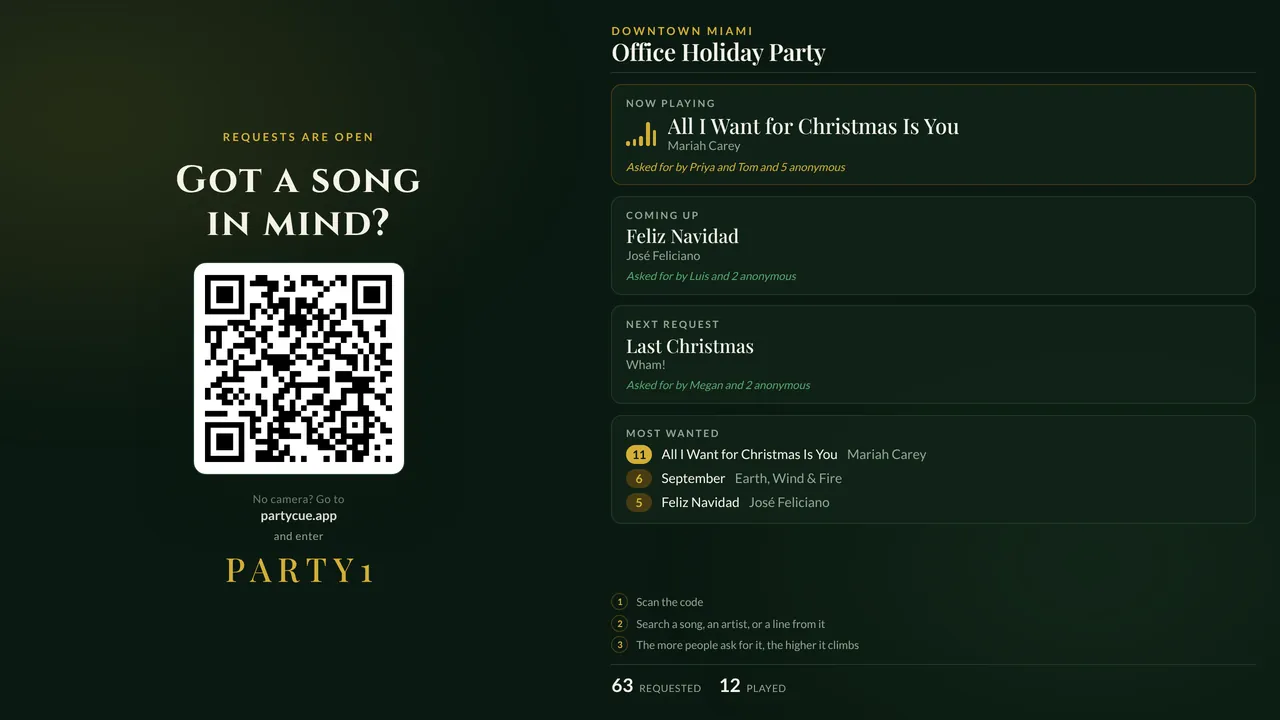
What you get at a holiday party
- A holiday look for the booth screen
- Requests ranked live, so the songs everyone wants come first
- A do-not-play list for anything that shouldn't play
VIP links
Give the hosts and the team leads their own request link: their songs go to the top of your list, with a dedication on the screen.
How it works
- Create the party
Pick the Holiday look and send VIP links.
- Put up the booth screen
Guests scan the code on it and request songs from their phones.
- Play
Requests show up ranked next to your decks and are marked played as you go.
Questions about holiday parties
Can I use it every year?
Yes. Create a new party each time; nothing carries over unless you want it to.
Do guests need to download an app?
No. They scan the code on the booth screen with their phone's camera, or type a six-letter code at partycue.app.
Which DJ software does it work with?
Serato DJ Pro on a Mac gets a menu-bar app that shows who asked when you load a request and marks songs played. Requests also land in an Apple Music or Spotify Requests playlist, and the console works on any laptop or iPad.
Spend the night mixing, not taking orders.
We're adding DJs a few at a time. Tell us about your gigs and we'll be in touch.